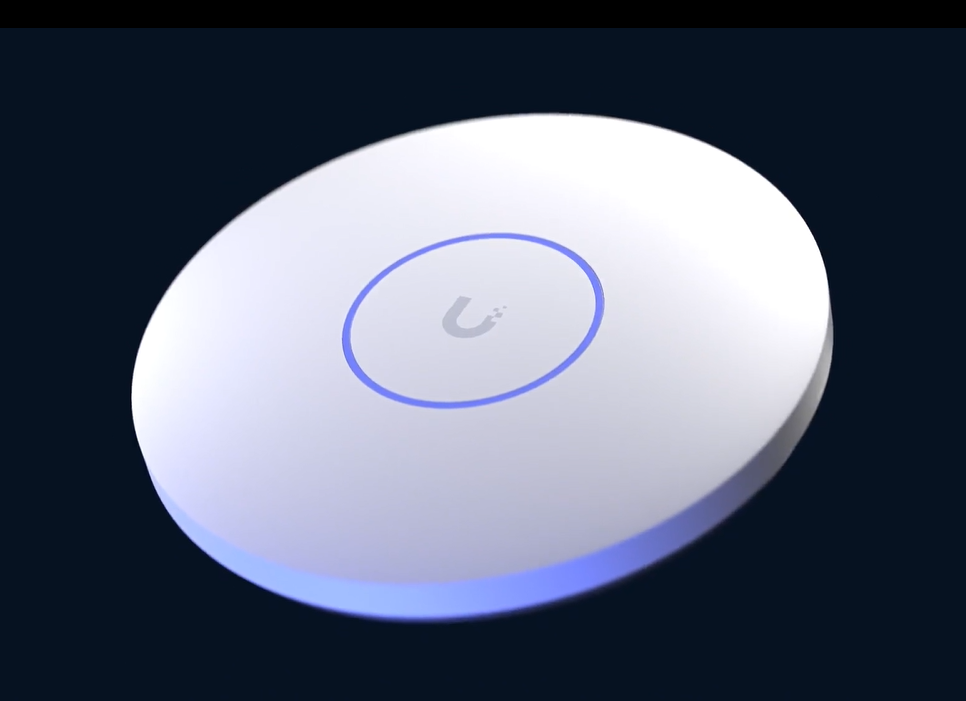
Business Wi-Fi
Coverage for offices, shops, workshops and warehouses, with separate access for staff and guests.
Wi-Fi installation and troubleshooting for businesses and homes. Experience across multiple manufacturers, including UniFi and TP-Link Omada, with existing equipment used wherever practical.
We’ll explain the work and costs before you book. One year of full support included from project sign-off.
Leave your name and number. We’ll call to discuss what you need.
Coverage for offices, shops, workshops and warehouses, with separate access for staff and guests.
Reliable connections where you work, stream and make calls, including rooms your router struggles to reach.
Connect garden offices, garages, EV chargers and heat pumps beyond the house.
A customer’s experience
“Mark fitted blanket unifi wifi coverage for our production warehousing. First class service and installation wouldn’t hesitate to recommend Techlatch. Great service.”
Google customer review · Warehouse Wi-Fi installation
Recent work / Glasgow
Glasgow solicitors: four customer-supplied UniFi U7 Pro access points covering two large offices and breakout rooms.
See the office project ↗House & garden / Magnus’s project
Magnus’s property: ten access points, cameras, doors, gates and garage access brought together, with ongoing remote support.
See the installation and Magnus’s review ↗
Dedicated access points, carefully positioned and connected by cable for dependable coverage. We assess your existing equipment and choose suitable access points for your rooms, outdoor areas and connected devices, including Wi-Fi 6 and Wi-Fi 7 options where appropriate. Capacity for busy spaces, coverage where you need it and room to grow.
We plan controlled overlap and tune channels and signal levels to help devices roam smoothly as you move. From busy offices to garden rooms, we assess what’s already in place, then test performance in the spaces you actually use.
Business-grade Wi-Fi for pubs, hotels and guest accommodation. Give guests a simple, branded sign-in page while keeping their access separate from staff and business systems.
Optional guest sign-up lets visitors leave their details and opt in to news, events and special offers.
A guest Wi-Fi welcome page that feels like part of your business.
Example guest welcome screenMake yourself at home.
Your guest Wi-Fi is on us.
Enjoy your visit.
Tell us where the Wi-Fi struggles, how many people and devices use it, and when it’s busiest. We’ll review your existing equipment too. Customer-supplied equipment is welcome; we check its suitability before agreeing the work.
We assess the property, with a site visit where needed. Before booking, we agree the equipment, cable routes, costs and expected installation time, including any planned interruption.
We install and configure the system, check coverage and test roaming between access points. Then we show you the controls and how to get help.
Every project includes one year of full support from TechLatch, starting at sign-off, including remote monitoring, software updates and troubleshooting, at no extra cost.
Equipment purchased from the UniFi Store includes a two-year manufacturer’s warranty.Our default is to cable every access point back to the network wherever practical. Dedicated access points provide the wireless coverage; a wired backbone carries their traffic back to the switch. This avoids relying on repeated wireless hops and gives us a more predictable foundation for capacity and fault finding. Where cabling is not feasible, we explain the alternatives and trade-offs before installation. We plan channels, transmit power and overlap rather than simply adding more boxes.
Staff devices, visitors, cameras and smart equipment can have different needs. We can separate them into appropriate networks and control what communicates between them. That helps limit unnecessary access while keeping legitimate functions, such as printing or casting, usable. We plan the rules around your day-to-day work rather than applying a configuration that gets in your way.
The aim is blanket coverage across the areas you want to use—not just a good signal beside the router. We map bedrooms, living spaces, patios, garden seating and outbuildings into the coverage plan. Outdoor-rated access points can extend the network where indoor equipment cannot reliably reach. We agree the coverage boundary, assess obstacles and test the intended areas with real devices; range and performance depend on the property and conditions.
Where the layout allows, we can keep the technology out of the way: access points positioned to cover the agreed areas without taking over the room, and cable routes planned through lofts, cupboards, voids or existing pathways. We agree what can be kept discreet before installation; some locations still need visible equipment to perform safely and reliably.
Smart TVs, speakers, thermostats and other connected devices do not need unrestricted access to your computers and private files. We can create a dedicated Internet of Things (IoT) network with rules limiting access to other networks. Where a phone needs to control a speaker or a trusted service needs to reach a device, we allow the necessary connections deliberately. A separate Wi-Fi name alone is not isolation: the network and firewall rules must enforce it.
We can set up a separate children’s network with age-appropriate content filtering, agreed internet-access schedules and restrictions on access to household computers, storage and administration. Supported application and domain controls can add another layer. We help you keep adult credentials separate and explain how to change the agreed settings. Filtering features depend on the gateway, software and any selected subscription.
Network controls are one layer of a family’s setup. They cannot guarantee that every unsuitable item is blocked, and they do not control a phone using mobile data or another network. VPNs and encrypted services can also affect filtering. We explain where device-level parental controls are needed alongside network rules, so the restrictions remain useful without promising a completely child-proof internet.
A spare cable route, sensible cabinet layout and enough switch capacity can make an extension or extra camera much easier later. We identify useful headroom without loading a project with unnecessary equipment. You receive a clear explanation of the proposed design and the limitations that remain.
A call that starts in the kitchen should be able to follow you towards the garden office. A well-planned Wi-Fi setup supports smoother movement between access points. We tune coverage overlap and test movement with your equipment. The phone or laptop still influences the handover, so seamless calls are a design aim rather than an unconditional promise.
A visitor should be able to get online without reaching your work computers. We can set up a simple password for occasional visitors or a branded welcome page for customer-facing premises, with sensible speed limits that keep capacity available for work.
Newer Wi-Fi equipment can improve speed and reliability where compatible devices and the building will benefit. Older smart equipment may need different bands or security settings, so the newest setting is not automatically the right choice for every network.
We use on-site measurements to check signal, speed and delay in the agreed rooms and outdoor areas. That gives us something concrete to review alongside real tasks such as a video call at your desk or streaming on the patio, rather than relying only on the coverage estimate on a box.
We plan how to keep your system running and recover from a fault.
Where continuity matters, a second internet service or mobile-data connection can provide a fallback. Coverage, ongoing charges and the applications you use determine whether it is worthwhile. We test the agreed changeover; some live calls or sessions may still reconnect.
A correctly sized UPS battery can keep selected network equipment running for an agreed period. The plan must include the relevant modem, gateway and switches. Runtime depends on load and battery condition.
Compatible UniFi gateways offer high-availability options such as Shadow Mode. These require a deliberate design and extra hardware; a single gateway, switch or cable can otherwise remain a single point of failure. Where high availability is not needed, a documented recovery plan may be the sensible choice.
The cost depends on the size and layout of your premises, the building materials, cabling and the number of access points needed. We assess what’s required, then give you a fixed-price quote listing the equipment and installation work. For the agreed work, the price we quote is the price you pay.
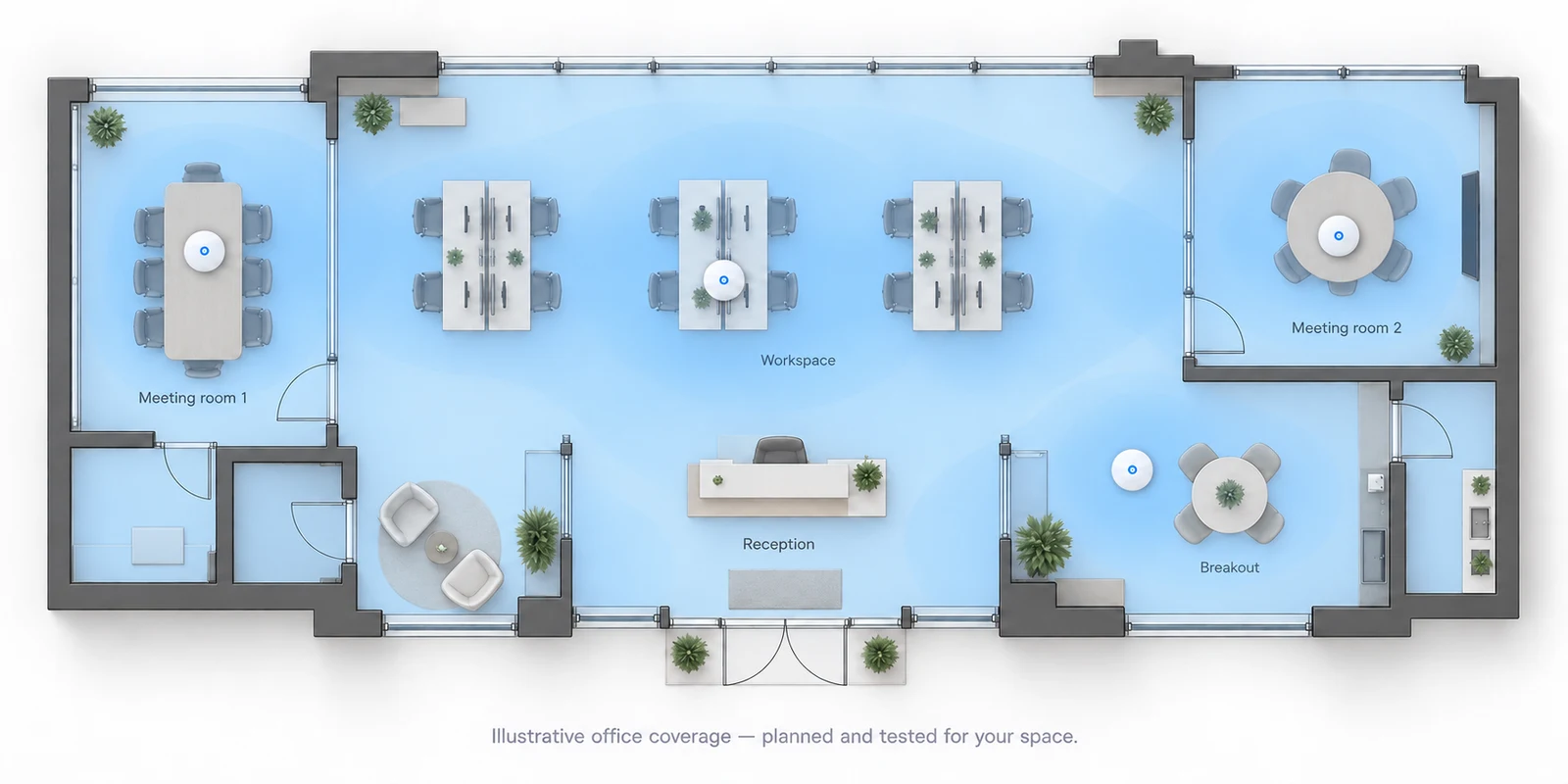
A floor plan gives us a useful starting point. We can create a predicted coverage map and plan access-point positions, then check the building before installation. Thick walls, metal racking, glass and mezzanine floors can all affect Wi-Fi coverage. A site visit lets us check these details and the cable routes before finalising the quote, helping avoid surprises on installation day.
Yes. We can set internet access times for children’s devices, pause access at bedtime and filter adult content or block selected websites and apps. We’ll tailor the controls around your family’s routine while keeping your own devices on a separate schedule, and show you how to make changes.
It can improve how your existing connection reaches devices, but it cannot increase the service delivered by your provider. We distinguish an internet-service problem from a local network problem before recommending changes.
Yes. We work with different manufacturers, including UniFi and TP-Link Omada, and help with systems that have never worked properly. We can survey your coverage, check the cabling, trace faults and optimise the setup around how you use it. We start by getting the best from the equipment you already have and explain any improvements worth making.
Let’s look at your project
Send your location, what you want to improve and any equipment you already own.
We’ll explain the work and costs before you book.
