Network cable installation
Practical routes for access points, cameras and desks.
Network cabling, cabinets and rack improvements for businesses and homes. Planned routes, labelled connections and testing agreed for the job.
We’ll explain the work and costs before you book.
Leave your name and number. We’ll call to discuss what you need.
Practical routes for access points, cameras and desks.
Organised equipment and connections you can identify.
Understand what was installed and how it was checked.
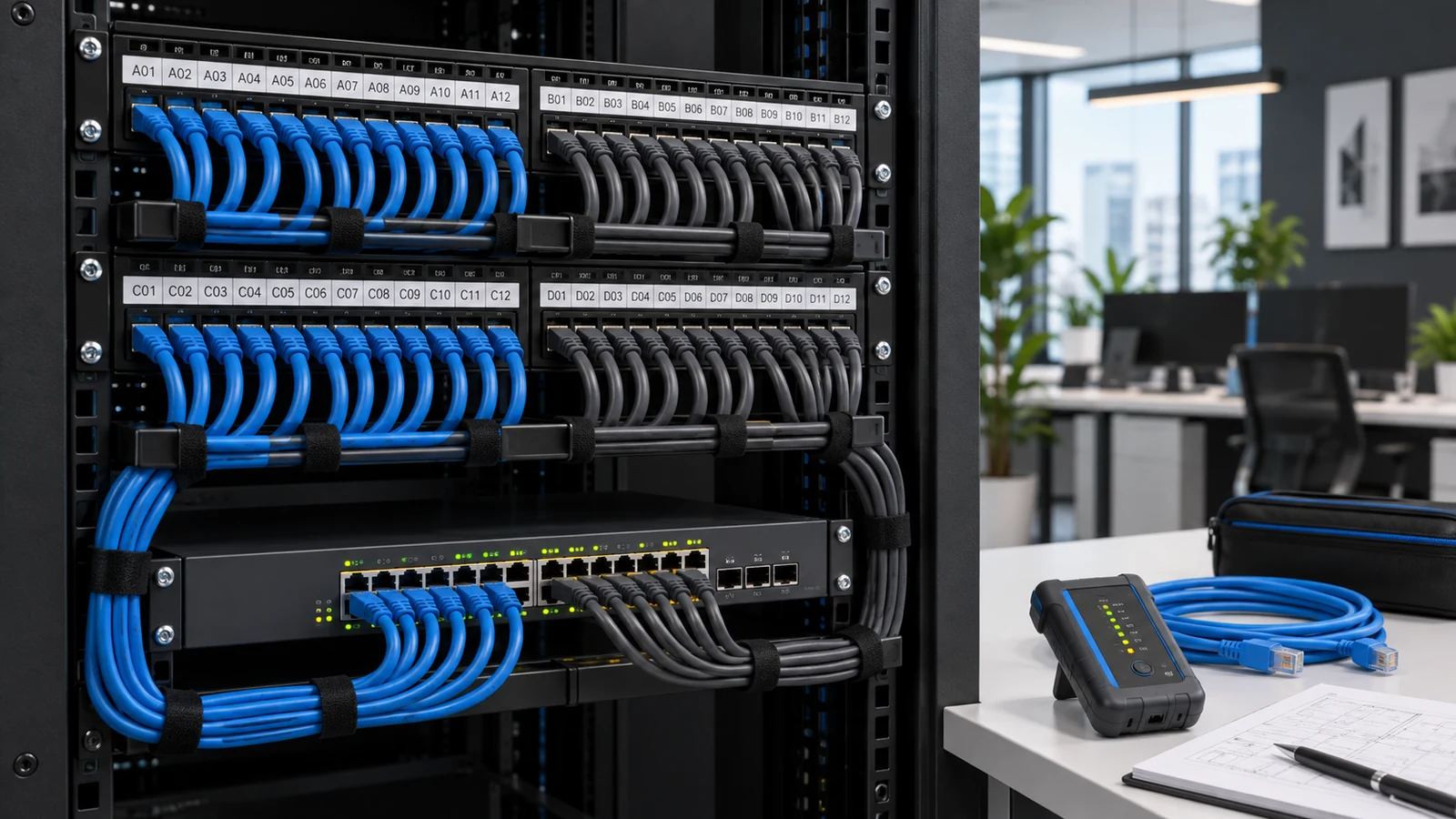
Wi-Fi, cameras, door hubs and workstations all rely on the infrastructure behind them. We assess cable routes, equipment positions, data and power needs, then choose cable or fibre for the job. The plan keeps connections tidy, equipment accessible and room available for future changes.
Review the devices, cable routes, cabinet space and power needs. Agree the work and any interruption.
Fit the agreed cabling and connections, keeping equipment accessible and routes organised.
Check the agreed links and provide clear labels, records and any certification specified in the quote.
One year of full support included. We look after your project for one year from sign-off, at no extra cost.
Wi-Fi access points, cameras, door hubs and workstations all depend on the connections behind them. We plan routes and equipment positions around the building, the intended devices and future access for maintenance. That preparation helps avoid awkward exposed runs or equipment tucked somewhere it cannot be serviced.
Indoor, outdoor and between-building connections have different requirements. We consider route length, environment, data needs and power delivery before specifying cable or fibre. Penetrations, fire stopping, electrical separation and specialist building work need to be addressed by the appropriate competent parties within the agreed scope.
Labels at wall outlets and patch panels save time when equipment changes or something stops working. Cabinets need usable patching, ventilation, secure mounting and space to reach components. We aim for a system that can be understood and maintained, not simply a cabinet that looks tidy on installation day.
A switch has to supply enough power for the devices connected to it, including their expected operating load. We account for that budget and useful spare capacity. Where backup power is included, the agreed equipment list and runtime target determine the battery requirement.
A basic connection check and formal cable certification are different things. We specify the testing appropriate to the installation and agree whether certification reports are required. The handover should tell you what was installed, what was tested and where the results are recorded.
We plan how to keep your system running and recover from a fault.
Clear labelling and an accurate connection schedule make fault finding faster. Where a connection is critical, we can assess spare runs or an alternative route. Two cables sharing the same vulnerable path do not provide complete route diversity.
The design should identify which devices depend on each switch. Compatible redundant-power equipment and battery backup address different faults; neither automatically protects against the loss of the entire switch.
Spare capacity, accessible pathways and documented layouts reduce the amount of rework. We agree sensible headroom for likely changes instead of assuming unlimited expansion.
Yes. We trace and label connections, organise patch leads and check the equipment layout. We agree any downtime beforehand, leaving you with a cabinet that’s easier to manage and maintain.
Yes. We can run network cabling or fibre to provide a reliable connection for Wi-Fi, computers, cameras and other equipment. We assess the distance and cable route, then recommend the best approach.
Often, yes. We can test existing cables and sockets, identify faults and reuse what’s suitable. We’ll explain what needs replacing and why.
We look for discreet routes through lofts, cupboards, ceiling spaces and existing pathways. Where cabling needs to remain visible, we agree a neat finish with you before starting.
We plan around your working hours and agree any interruption in advance. Where practical, we install new cabling before switching equipment over.
Yes. Power over Ethernet (PoE) carries both data and power to equipment such as UniFi access points, cameras and door readers, reducing the need for nearby power sockets.
Let’s look at your project
Send your location, what you want to improve and any equipment you already own.
We’ll explain the work and costs before you book.
